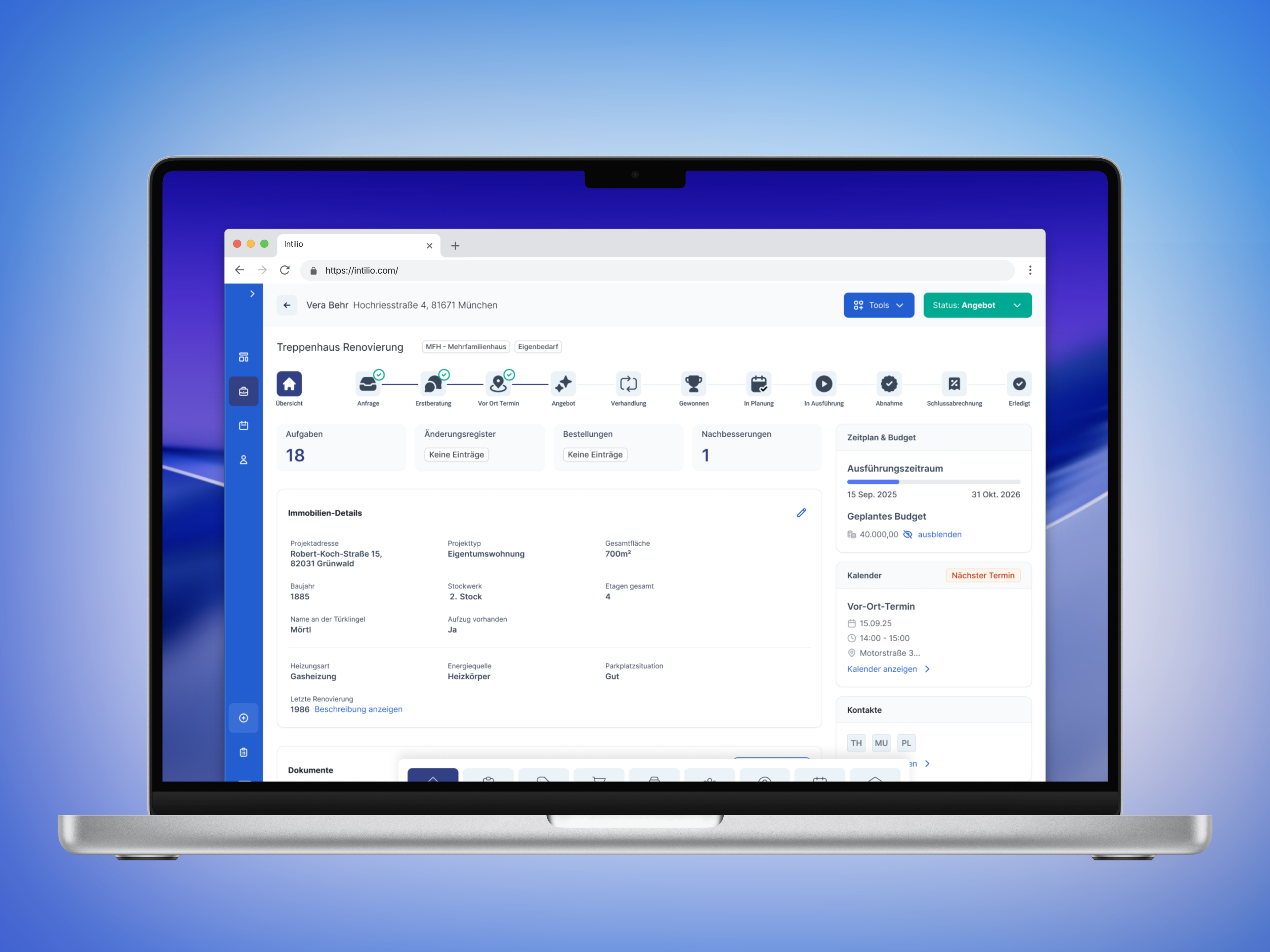
Phase navigation shows the current stage of work.
01 Existing product
Bringing the interface
together.
intilio needed to become usable beyond its original internal setting. Greater structure meant both a consistent interface and guidance through the work: clearly showing project status and associated tasks.
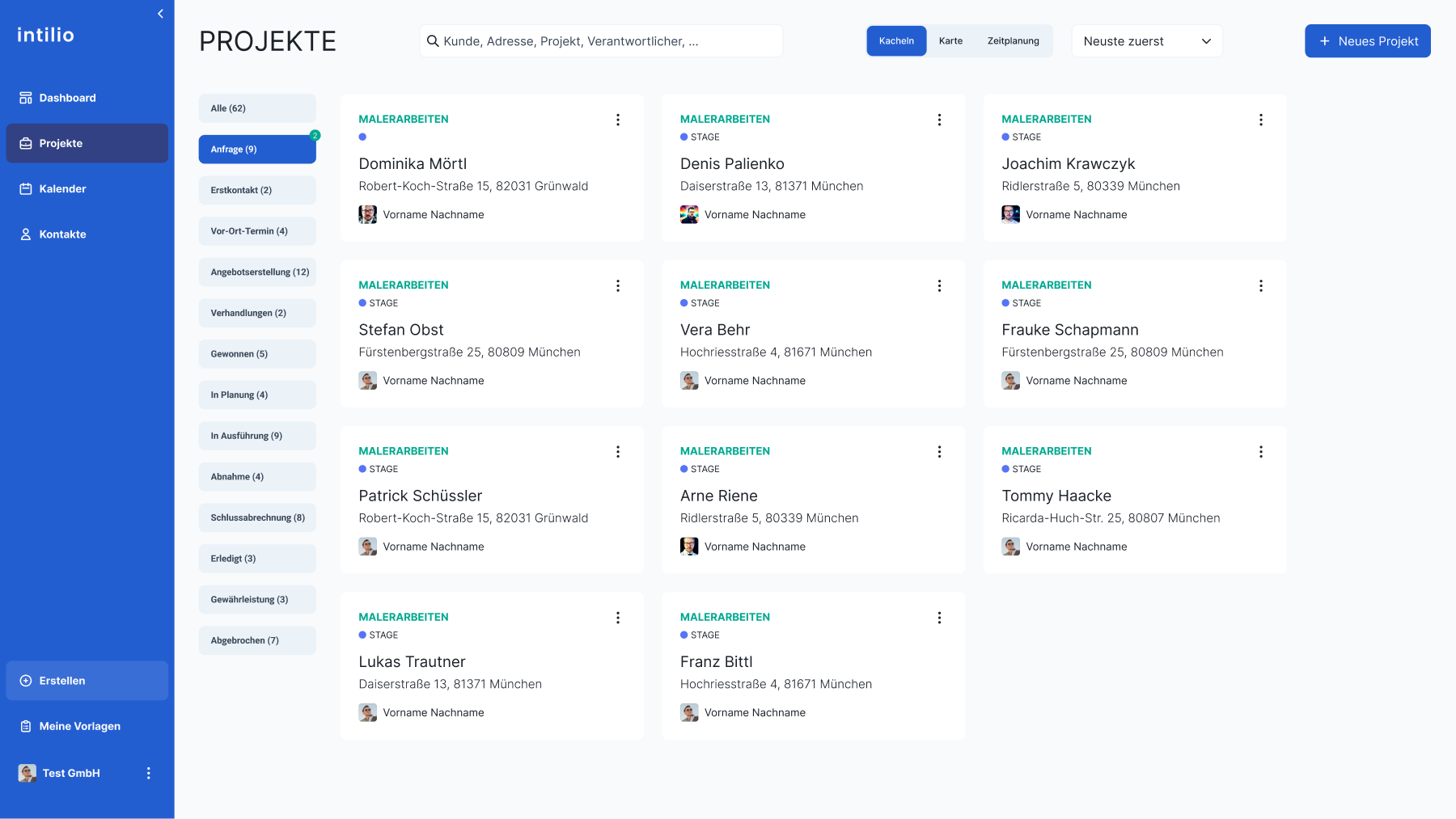
We consolidated existing screens, layouts and interaction patterns. Lists, tables, detail views and system states received a shared design foundation. We also distinguished the overview of multiple projects from work within a single project.
The project overview shows this first level: search and phase filters help users find relevant work, while consistent project cards organise responsibilities and status. A guided flow then provides orientation inside each project.
02 My concept proposal
Connecting project phases
to concrete tasks.
I proposed a flow connecting project phases to specific tasks. The phase provides the context; its cards describe the work within it. My team and I developed this approach as “Project Navigator Lite”.
The “Enquiry” phase illustrates this: are the documents complete? Should the collaboration proceed? How will the initial consultation be arranged? The design presents these tasks together with appropriate actions.
Horizontal navigation keeps the wider journey visible, from enquiry to completion. Each phase contains task status and actions, turning the request for “more structure” into a usable interface.
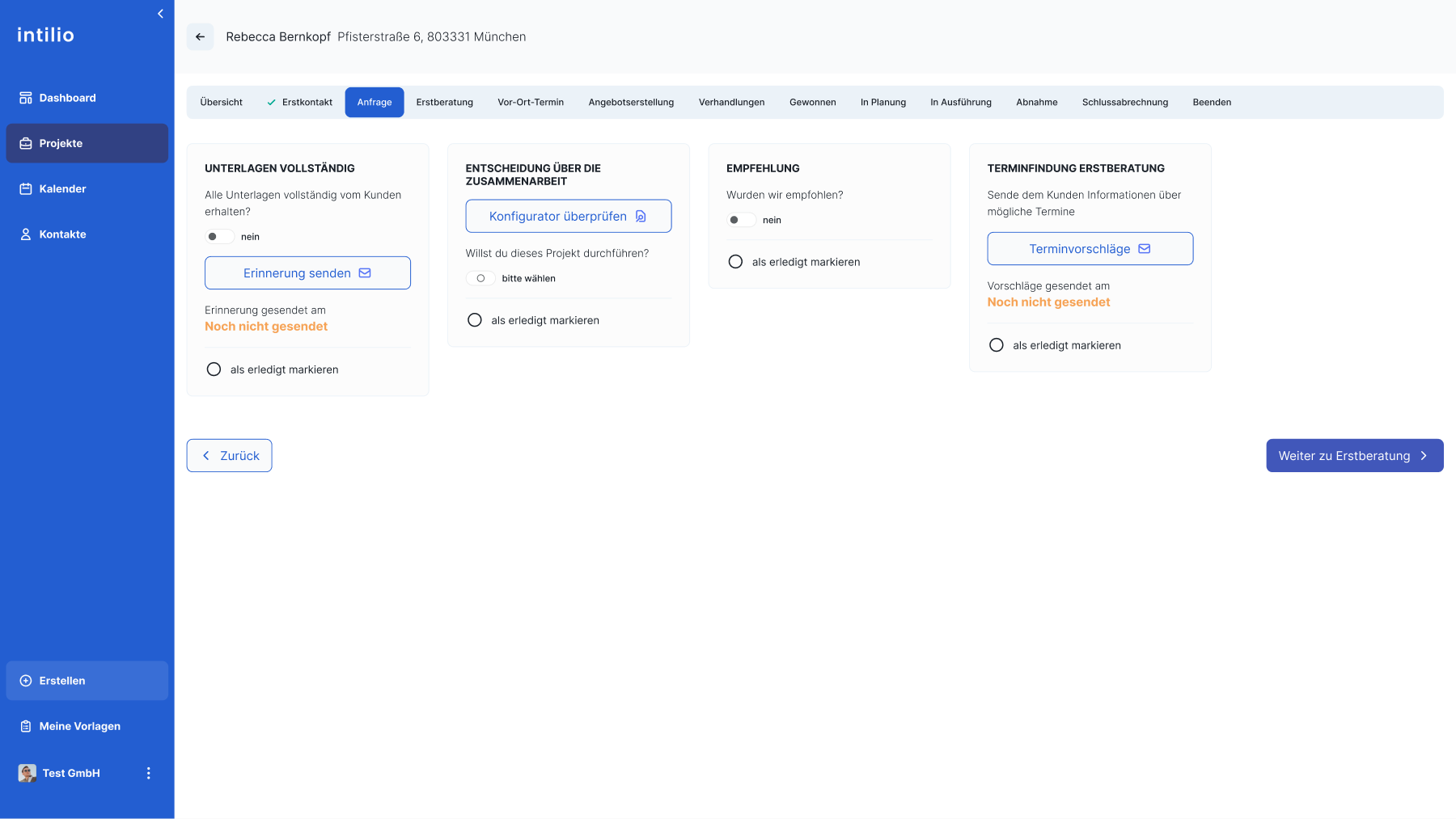
Task cards make pending decisions and steps visible.
Reminders and appointment suggestions are attached to the relevant task.
03 One task in detail
Requesting missing documents.
Understanding progress.
The “Documents complete” card shows the flow down to individual states. In this design, documents are missing. “Send reminder” appears directly below, alongside an indication of whether a reminder has already been sent.
Sending a message and completing the task remain separate: a reminder does not mean the documents have arrived. The card therefore has a task-completion control as well as a sending status.
Scheduling follows the same principle: sending suggestions, seeing that they were sent and marking the task complete are separate elements. This connects work, communication and progress in one view.
04 Guidance within the flow
Preparing communication
in the project context.
Project work includes recurring messages to clients and partners. We developed email templates for the relevant phase. The proposal phase, for example, includes messages about an almost-finished proposal, rescheduling and partner enquiries.
The view also accommodates deviations: one template covers being unable to prepare a proposal at that time. Sent messages show time and sender; others remain marked “Not sent”. The reason for a message is therefore connected to its status.
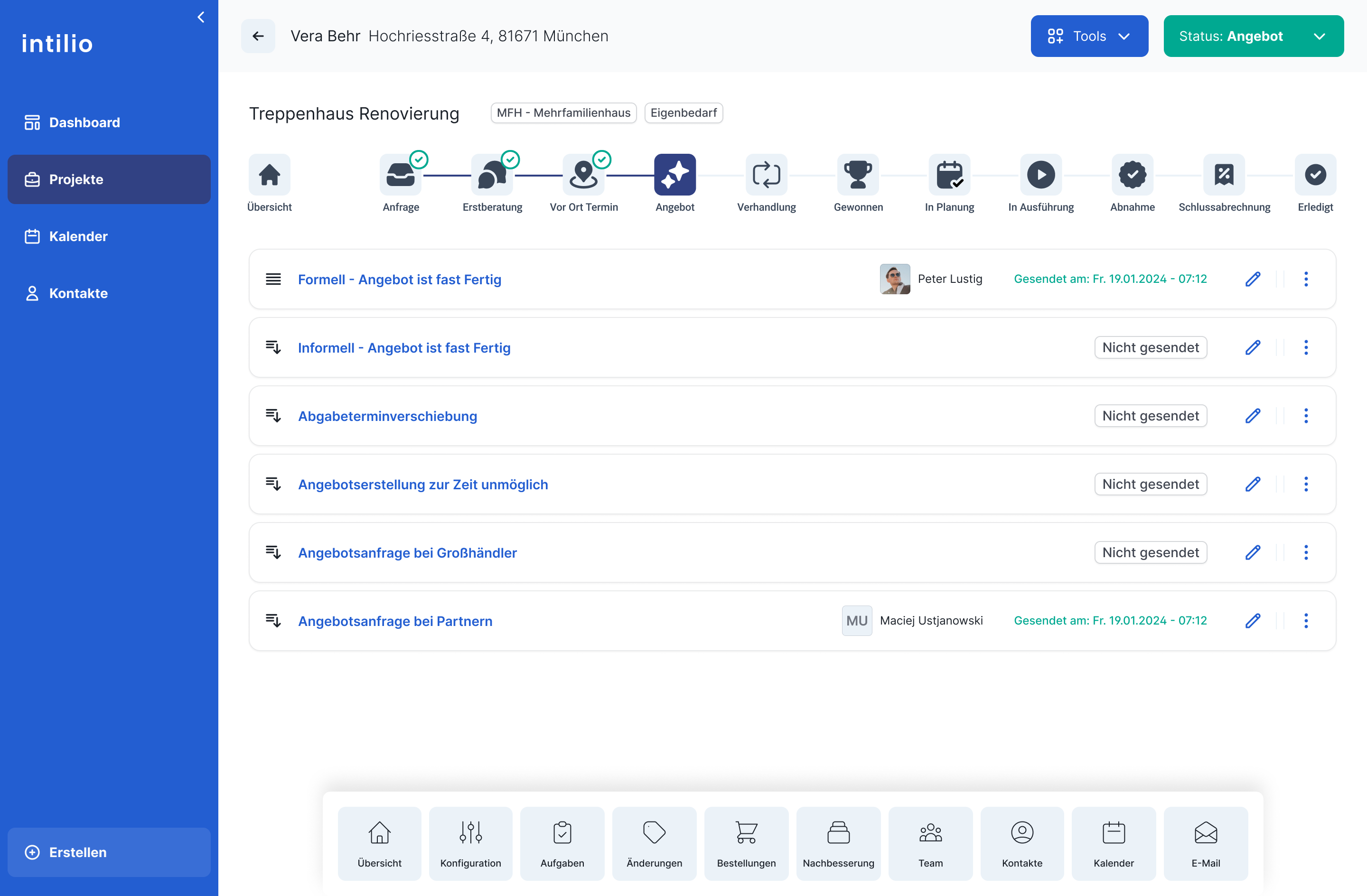
Empty states and brief guidance were also included to support orientation before content or entries exist.
05 Collaboration & handover
Leading the concept.
Developing it as a team.
I led the project and design on the userdoo side and worked with my team on the interface. My proposed flow set a concrete direction for the subsequent design work.
We developed the designs iteratively with the client and developers, translating the flow into layouts, components, states and implementation specifications.
My contribution combined the concept for guiding project work with responsibility for carrying that direction through tasks, messages and interface states.
Project responsibilities
My contribution
Flow concept, design leadership, client coordination and hands-on design
Tommy Haacke and team
Joint development of interfaces and specifications
Collaboration with development
Iterative coordination on implementing the designs
Outcome
A UX foundation for the SaaS offering.
The client received a concrete interaction concept for offering its internal tool to other companies. For each phase, Project Navigator Lite shows completed tasks, missing documents and the next step. Detailed screens and specifications made this workflow clear for engineering.
Consistent views
Layouts, components and interaction patterns supporting further product development.
Project Navigator Lite
Phases, tasks and next actions in a connected flow.
Specifications & coordination
Detailed screens and states as a basis for collaboration with development.